
Owning a home golf simulator is a lot like adopting a pet tiger: thrilling, impressive to visitors, and slightly dangerous to your drywall if you’re not paying attention.
One minute you’re telling yourself it’s “for practice,” and the next minute you’re debating whether to charge admission for friends who mysteriously start “dropping by” at all hours. Suddenly your garage, basement, or former guest room becomes a sacred sanctuary—part sci-fi command center, part driving range, part justification for why you definitely did not overspend on yet another club.
But hey, when the weather goes rogue or the course is booked, there’s nothing quite like stepping into your own personal fairway—no dress code, no waiting and the only slow foursome is the one on the loading screen.
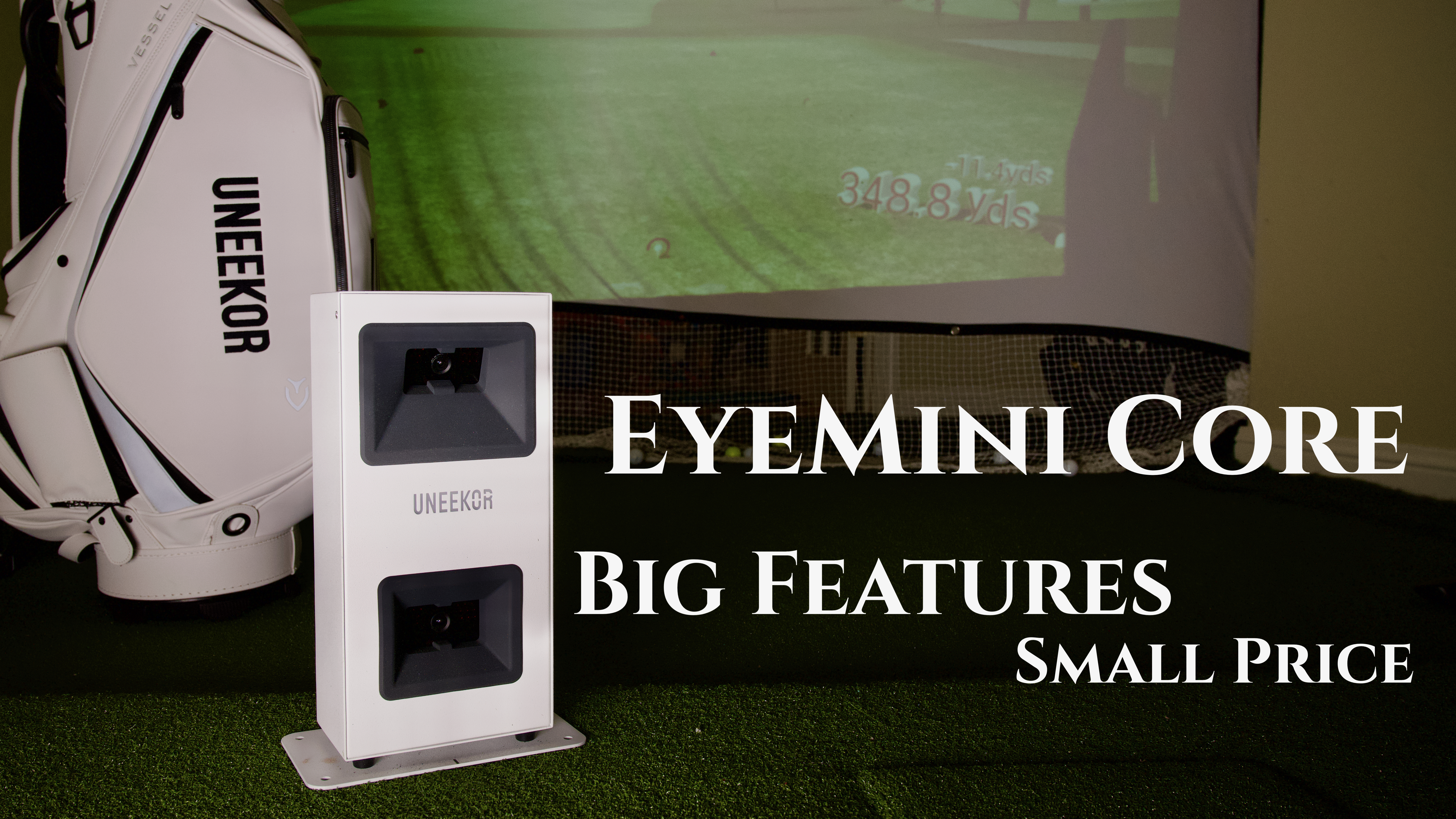
The best way to make this all happen is with the newest offering from Uneekor, the Eye Mini Core. Billed as an affordable setup for home simulators, the Eye Mini Core combines Uneekor’s cutting-edge technology and user-friendly software to deliver precise data and an immersive playing environment.
Setting Up the Uneekor Eye Mini Core
Unboxing the Uneekor Eye Mini Core feels like opening a precision instrument rather than just another piece of golf tech. The packaging is clean and intentional, with the compact unit securely nestled alongside neatly organized accessories—each one reinforcing that this is a serious launch monitor built for accuracy.
From the moment you lift the Eye Mini Core out of the box, its solid build and sleek design will set expectations high, signaling that this little unit is ready to deliver big data and an even bigger upgrade to your practice sessions. Unlike other launch monitors, the metal housing is perfect for any punishment it may take in the basement.

The Eye Mini Core was the easiest simulator to set up that I’ve ever tested. After a quick software download and hardline connection to my computer, I had the unit up and running in about 12 minutes. I’m confident that even the most non-tech savvy person would be able to get it working.
One aspect that I particularly wanted to test was the computing power needed to run the Eye Mini Core without issue.
First, I tested the software on a standard laptop with decent specifications including 16GB of RAM, but couldn’t get the course play to work at all. Second, I used a desktop computer with a good graphics card and 64GB of RAM, and everything worked much better.
I would definitely use a nice computer setup if you want a good experience with the Eye Mini Core. To see the specific recommended system requirements, visit the Uneekor FAQ page.

As part of the setup process, there is a system calibration option available. I initially chose to skip the calibration to see just how much different the results would be. I was pleasantly surprised – the data was fairly similar with or without calibration. I would recommend that you do complete the calibration, but if you’re impatient like me and want to start hitting, you can skip it on initial setup.
Other accessories included with the unit are a USB-to-LAN adapter (needed for connecting your computer to the unit) and plenty of target stickers. The target stickers are really only needed if you want to obtain club data such as speed, angle of attack and smash factor. These features are unlocked with a software upgrade and are more for tweaking your game, but are not needed to use the driving range or play courses.


Software
Choosing the right add-on software options and understanding the different tier models for the Eye Mini Core will likely be the toughest part of the purchasing process.
A month of Ultimate software will be included when you initially purchase the unit, which will be enough to get you hooked! After that, the Player software comes at no additional charge and is a great driving range solution for anyone looking to just hit some balls and stay loose in the winter.
I ended up going with the GameDay software at an additional $199 a year, giving me access to 20 great courses plus an upgraded driving range. This was a great value in my opinion, as I have seen many of my friends purchase annual or lifetime subscriptions from other companies for thousands of dollars.
If you are considering purchasing the Eye Mini Core, don’t underestimate these options – you are going to want to play courses and have access to more features. I spent most of my time using the GameDay features and courses as I found this most immersive.
More details on the GameDay and VIEW Software can be found here.

Below are views of the GameDay driving range which offers great data points and a fun experience.


Entertainment Vs. Serious Data
Using the Eye Mini Core simulator for entertainment adds a whole new level of fun to practice sessions, blending immersive play with valuable performance insights.
The simulator lets you enjoy realistic virtual courses and friendly competitions with friends or solo challenges, making it perfect for gatherings or relaxing after work. At the same time, it provides detailed practice data—like ball speed, launch angle, spin rates and shot dispersion—which helps you track improvements and fine-tune your swing mechanics.
For 99% of golfers the Eye Mini Core has enough data points to help adjust swings, clubs and bad habits. I compared many of the shots I took on the Eye Mini Core to the distances and shot shapes I knew I hit all season, and found the accuracy to be spot on.
I may have spent too much time trying to trick Eye Mini Core just to see how accurate it is. Shanks, mishits, pulls and slices – it captured it all. I even reverted back to my college days when my coach told me to swing with my eyes closed and guess what the shot did – the Eye Mini Core got it right every time!
Real-time feedback is something I test with every simulator and the Eye Mini Core absolutely delivered. As soon as the ball is struck, the system provides instant data and visual feedback – this immediate response is a critical aspect when selecting a simulator for your personal use. There is nothing more frustrating than hitting a shot and having the system lag by 1-2 seconds.
Take a look at the video below to see just how instantaneous the shots are.
Uneekor Lineup


After trying the Eye Mini (click to read my review) last year and now the Eye Mini Core there are a few differences to call out.
First, the Eye Mini Core is not portable for outdoor use like the Eye Mini. While you might not be like Bryson DeChambeau carrying a launch monitor for every shot, there is some benefit to having data when hitting outdoors – so consider your total use.
Second, the Eye Mini Core must be connected to a computer via a hardwire to display data.
Finally, there is a built in camera in the Eye Mini Core unit, but you must pay for a software upgrade to utilize its features and see your swing.
The table below provides the 15 data points that the Eye Mini Core will provide along with optional club features that can be purchased with an upgrade.

| Ball Speed | Velocity at which the ball is traveling when it leaves the club face after impact. |
| Side Spin | Horizontal spin measurement affecting golf ball movement left or right in flight. |
| Back Spin | Measurement of reverse rotation of the golf ball relative to its trajectory (Backspin generates upward lift and stopping power upon landing). |
| Side Angle | Angle at which the ball starts its flight, relative to a straight target line (Horizontal launch angle). |
| Side Total* | Deviation left or right of the target while the ball is in the air. |
| Launch Angle | The initial vertical launch angle of the golf ball post-clubface impact (relative to the ground). |
| Angle of Descent* | The descent angle of the golf ball after reaching its peak trajectory. |
| Flight Time* | The total amount of time the golf ball is in the air. |
| Spin Axis* | The imaginary line around which a spinning object rotates. In the context of sports like golf or baseball, it specifically refers to the axis around which the ball is spinning. In golf, the spin axis affects the ball’s trajectory, determining whether it will curve to the left or right during flight. |
| Distance to Apex* | The distance covered by the ball in the air until it reaches the highest point of its trajectory. |
| Apex* | The peak height of the ball’s trajectory. |
| Ball Flight Type* | Description of the balls initial start direction and shot shape. |
| Carry Distance | Total distance the ball traveled in the air. |
| Run* | Distance the ball travels after making contact with the ground. |
| Total Distance* | Total distance the golf ball travels including the carry and run. |
| CLUB DATA | Available with Software Upgrade Purchase |
|---|---|
| Club Speed | The speed of the club at impact. |
| Smash Factor | Quantifies the efficiency of impact between the club face and the golf ball. It is calculated by dividing the speed of the ball by the speed of the club head at impact. A higher smash factor indicates a more efficient transfer of energy from the club to the ball, typically resulting in greater distance and accuracy. |
| Attack Angle | The angle at which the clubhead approaches the ball during a golf swing. It is measured relative to the ground and indicates whether the clubhead is moving downward, level, or upward at impact. A positive attack angle means the clubhead is descending into the ball, while a negative angle indicates the clubhead is ascending or sweeping upwards. |
| Club Path | The in to out, or out to in movement of the club head’s geometric center at the center at the time of impact. Club Path is the direction (right or left) the club head is moving at impact and is measured relative to the target line. |
Fun for All Ages
This is the first simulator I’ve owned that’s easy enough for anyone to use, and I feel confident that it will take any punishment.
The simplest, but best, feature has to be the color-changing Uneekor logo on the front. The instant feedback of red versus green color let the kids know exactly when they could hit. Watching kids play on it, though, showed that the unit doesn’t respond well if there is a pause in the swing – it likes to see continuous motion from address to hit. This frustrated some of the little ones at times, but once they got their swings down it was all smiles.

My basement has become a popular destination for all the neighborhood kids looking for a fun winter activity. The GameDay software has a number of fun challenge modes, along with the ability to do scrambles which keeps everyone engaged. We even had a couple holes-in-one this season, which brought the house down with excitement!
Caution: Watching the video below will make you want to buy the Eye Mini Core!
If you’ve Been Waiting, This is Your Sign

The Uneekor Eye Mini Core represents the best value for a home simulator setup, in my opinion. The breadth of features and level of performance it offers for the price cannot be matched. Uneekor continues to deliver amazing products that make it stand out as perhaps the top simulator company right now.
Get great pricing on the Uneekor Eye Mini Core
Links in this article utilize an affiliate program that, at no cost to you, pay a small commission to WiscoGolfAddict
Take a look at some other articles on simulators reviewed by WiscoGolfAddict writers to help you compare:
Related
Discover more from WiscoGolfAddict
Subscribe to get the latest posts sent to your email.