
Cyclists Hub is supported by its readers. We may receive a commission if you buy products using our links.
All content on Cyclists Hub is written by humans, not robots. Learn More
I spent money on Edge 850 and ROAM 3, so you don’t have to. I compared them in depth to help you decide whether they are worth it or if you should consider alternatives.
KEY TAKEAWAY
The main differences between the Edge 850 and Wahoo ELEMNT ROAM v3 are display readability, battery life, and features. The Edge 850 has a bright, smartphone-like screen that’s easy to read but offers only about half the battery life of the ROAM v3. It also includes more advanced features, making it a stronger training companion. Both head units have built-in speakers for voice navigation, alerts, and an electronic bike bell.
If the Edge 850 had the ROAM v3’s battery life, it would be an easy recommendation. However, since I dislike frequent charging, I would probably buy the Edge 840. Aside from battery life, though, the Edge 850 outperforms the ROAM v3 overall, making it the winner here. Buy it here (also available on amazon.com) or pick the Wahoo ELEMNT ROAM v3 (also available on amazon.com), or continue reading for more info.
Edge 850 vs. ROAM v3: The Basics
The table below compares the technical specifications of the Garmin Edge 850 and ELEMNT ROAM v3.
| Feature | Garmin Edge 850 | Wahoo ELEMNT ROAM 3 |
|---|---|---|
| Interface¹ | Touchscreen + buttons | Touchscreen + buttons |
| Screen size (resolution) | 2.7″ (420×600px) | 2.8″ (480×720px) |
| Touchscreen | Yes | Yes |
| Claimed battery life Tested battery life |
12 hours 10.3 hours |
25 hours 28 hours |
| Dimensions | 92.2×54.6×16.8 mm 3.63×2.15×0.66 in |
85×58×20 mm 3.35×2.28×0.79 in |
| Weight | 112g | 109g |
| Storage | 64 GB | 64 GB |
| Start-up time | ∼26s | ∼36s |
| Charging | USB-C | USB-C |
| Mounts in the box | Out front mount Stem mount |
Out front mount Stem mount |
| Speaker / Bell / Voice navigation | Yes | Yes |
| Garmin Pay | Yes | No |
| Address Search On-Device Course Creation |
Yes | No |
| Smart navigation (rerouting) | Yes | Yes |
| Multi-band GNSS | Yes | Yes |
| Crash/incident detection | Yes | No |
| Connectivity | ANT+, Bluetooth, Wi-Fi | ANT+, Bluetooth, Wi-Fi |
| RRP | $599 | $465 |
| More info | Edge 850 Review | ELEMNT ROAM v3 Review |
| Buy | BUY BUY at amazon.com |
BUY BUY at amazon.com |
This table compares the main features of Garmin Edge 850 vs. Wahoo ELEMNT ROAM 3.
¹How is it possible to fully control the device.
Edge 850 vs. ELEMNT ROAM 3: Features Comparison and Differences
Below, I compare the most significant differences between the Edge 850 and ELEMNT ROAM 3.
- ROAM 3 has a 0.1″ larger display (2.7 vs. 2.8″)
- ROAM 3 reaches twice the battery life
- Edge 850 offers much better readability in most scenarios
- Edge 850 offers more features (Real-Time Stamina, Power Guide, Road Hazards…)
- Edge 850 features more sophisticated navigation
- Edge 850 is easier to repair
- Edge 850 is more expensive than ROAM 3 ($599 vs. $465)
Physical Dimensions & Weight
Edge 850 and ELEMNT ROAM 3 have similar dimensions, but the Edge 850 is wider. The weight is almost the same and varies by ~3 grams.
They are mid-size head units, which are ideal for most scenarios and my preferred size, as I find the Edge 1050 and similar bike computers too big for casual riding. On the other hand, if you have poor eyesight, you might benefit from the larger head units.


Ease of Setup
To set up both of these bike computers, all you have to do is scan a QR code. If you have already been using a Garmin Edge bike computer, its settings, such as the data pages, data fields, or sensors, will download from the cloud. Leaving you with a ready-to-go unit. You can also adjust most settings directly on the Edge 850, and eventually, via the Garmin Connect smartphone app.


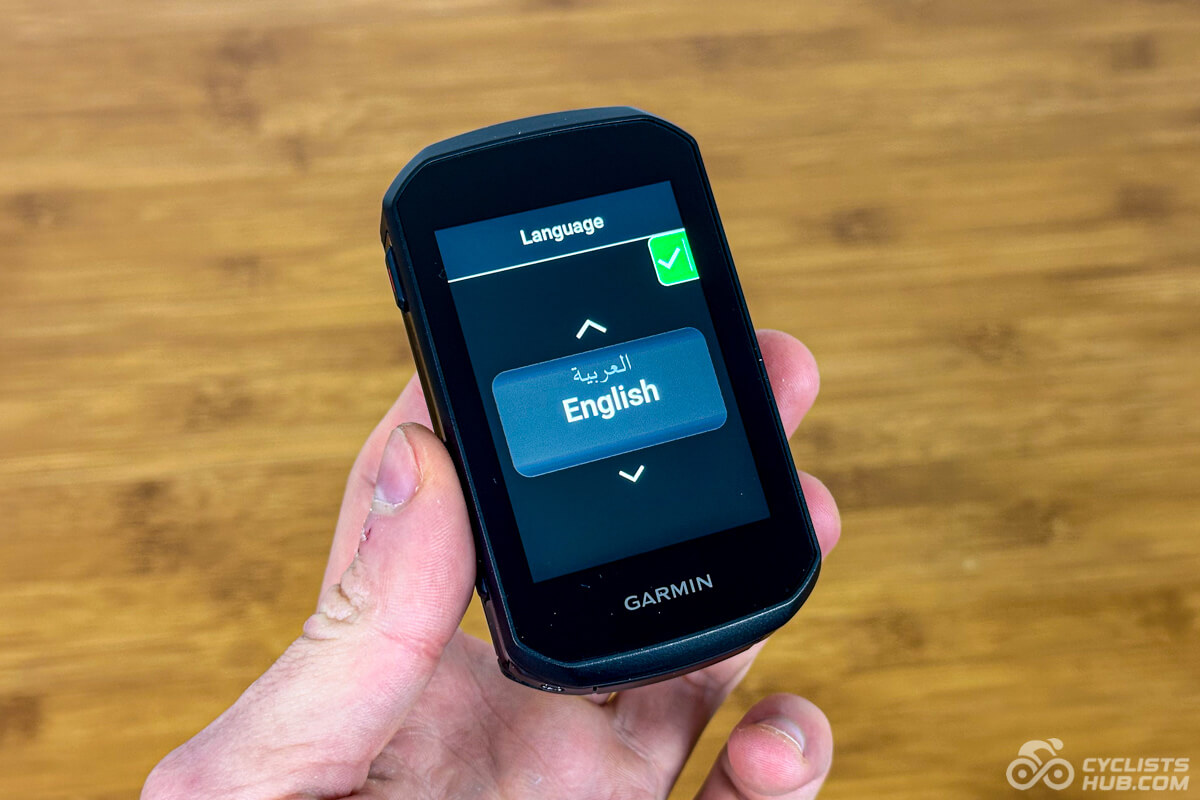
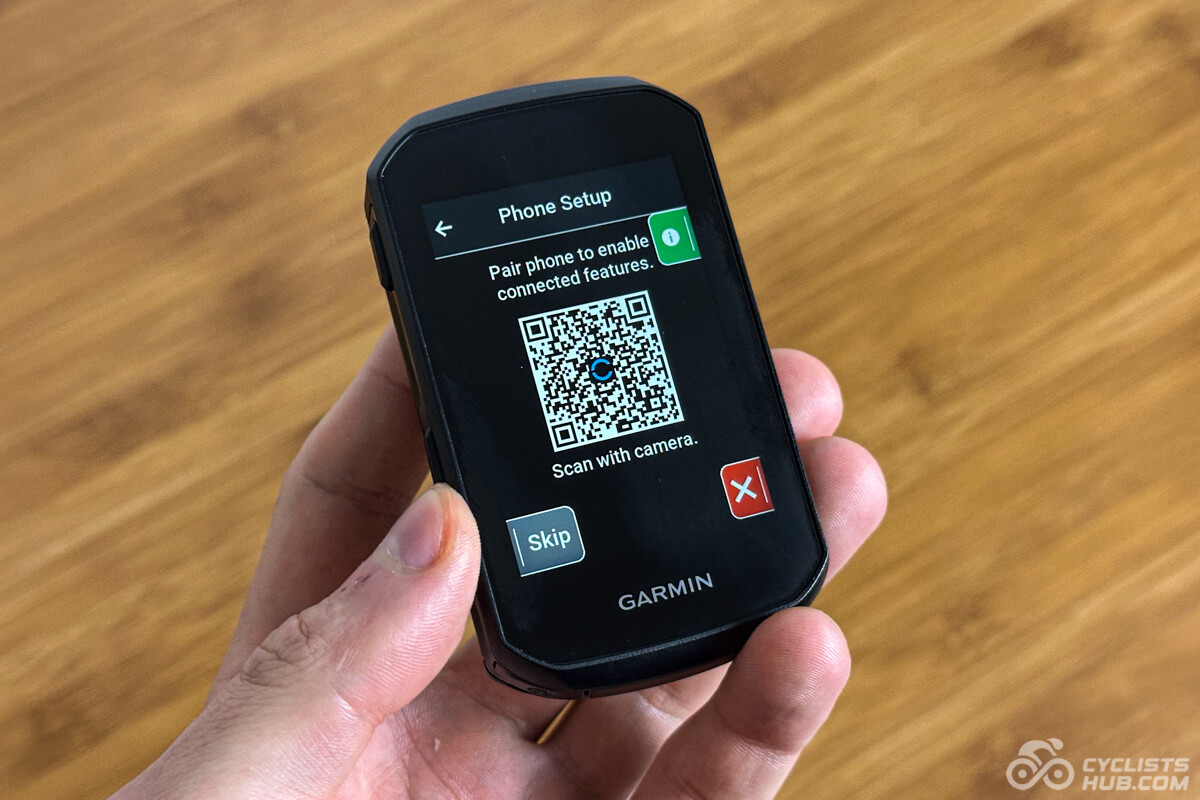
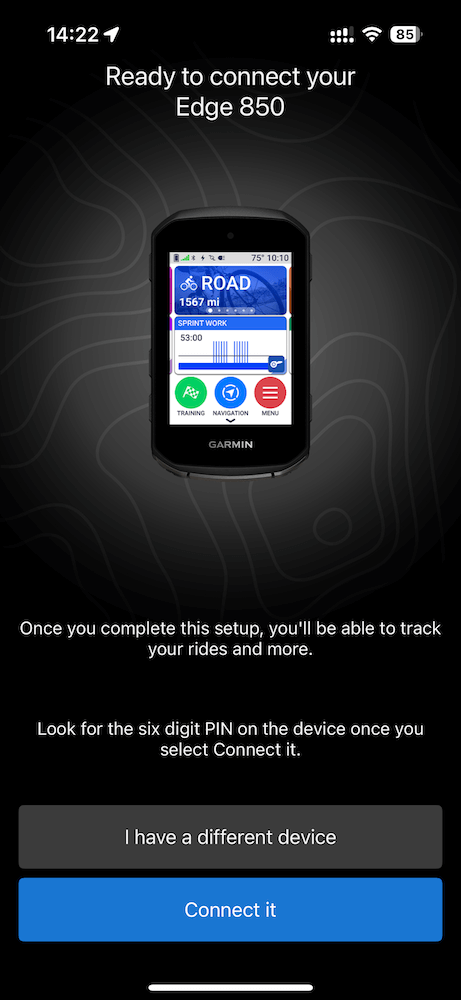
On ROAM 3, the data pages and data fields are synchronized as well, but you still have to pair the sensors. Additionally, some settings are not available on the head unit, and you must use the Wahoo smartphone app. These include changing the data pages and data fields, and a few more.
I declare the Edge 850 the winner, but it is pretty close here.
Winner: Edge 850
Display
The 2.8″ display size of the ROAM 3 is 0.1″ larger than that of the Edge 850 (2.7″). Does it make a difference? No. But keep in mind that the ROAM’s display is slightly narrower than the Edge 850’s. Their resolution is also similar. ROAM 3 offers 309 pixels per inch (PPI), and the Edge 850 provides 271 PPI, making them appear sharp in close-ups.


Both head units are touchscreen and include physical control buttons. This is great for controllability in wet or winter, but more about this later. The most significant difference is in readability and brightness. But honestly, the ROAM 3’s display sucks compared to the Edge 850. See the following gallery.


The Edge 850 is a clear winner here.
Winner: Edge 850
Control & User Friendliness
The ELEMNT ROAM 3 is easier to control, thanks to fewer features and simpler menus. However, it offers fewer on-device settings, making it more smartphone-dependent in case you need to change data fields, for example. I honestly don’t understand this, especially when the ROAM 3 has a touchscreen display that makes navigating through menus a walk in the park.


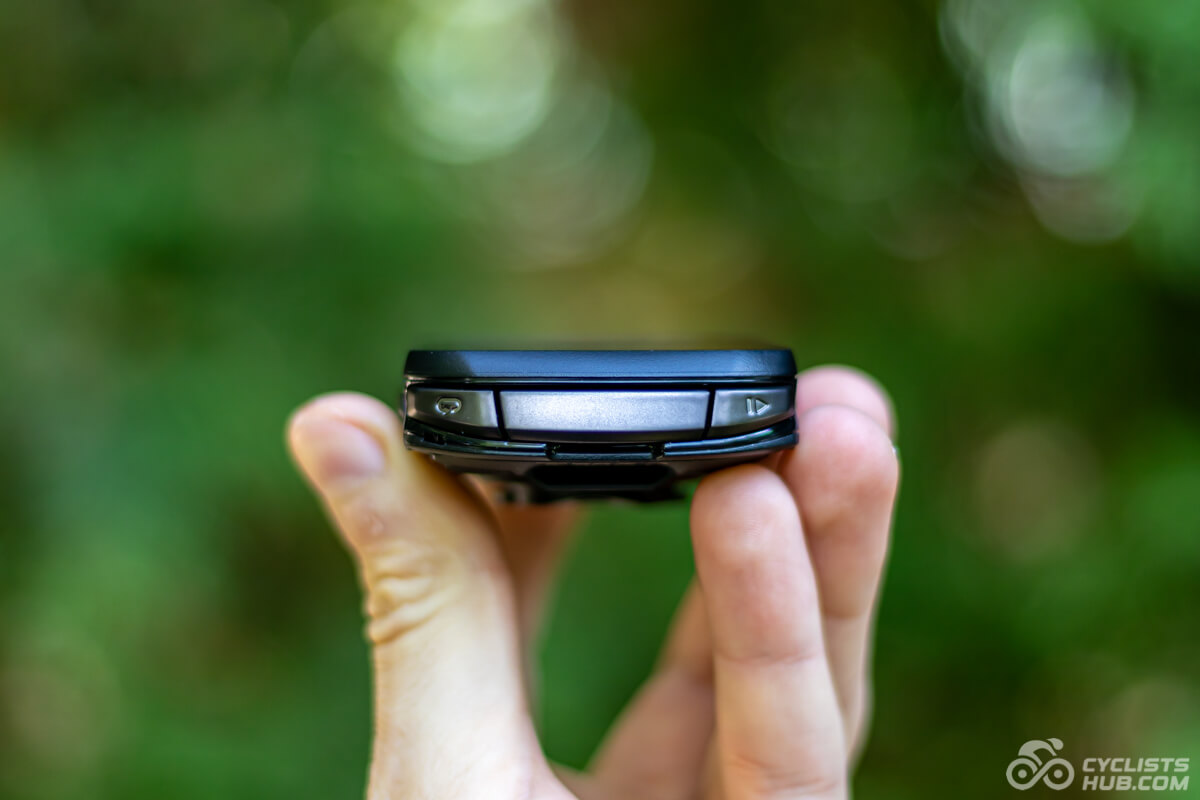
I don’t have any preference regarding the buttons’ placement. I’m fine with both approaches, having them below the display, like on ROAM 3, or at the bottom side of the unit, like the Edge 850. However, if you have a short bike computer mount, you might have trouble accessing the Edge buttons. But this is usually the case with the Edge 10×0 line. The buttons on both devices feel tactile and easy to press.

So, what about the performance in wet or with gloves? Watch the following videos. Both displays perform pretty well.
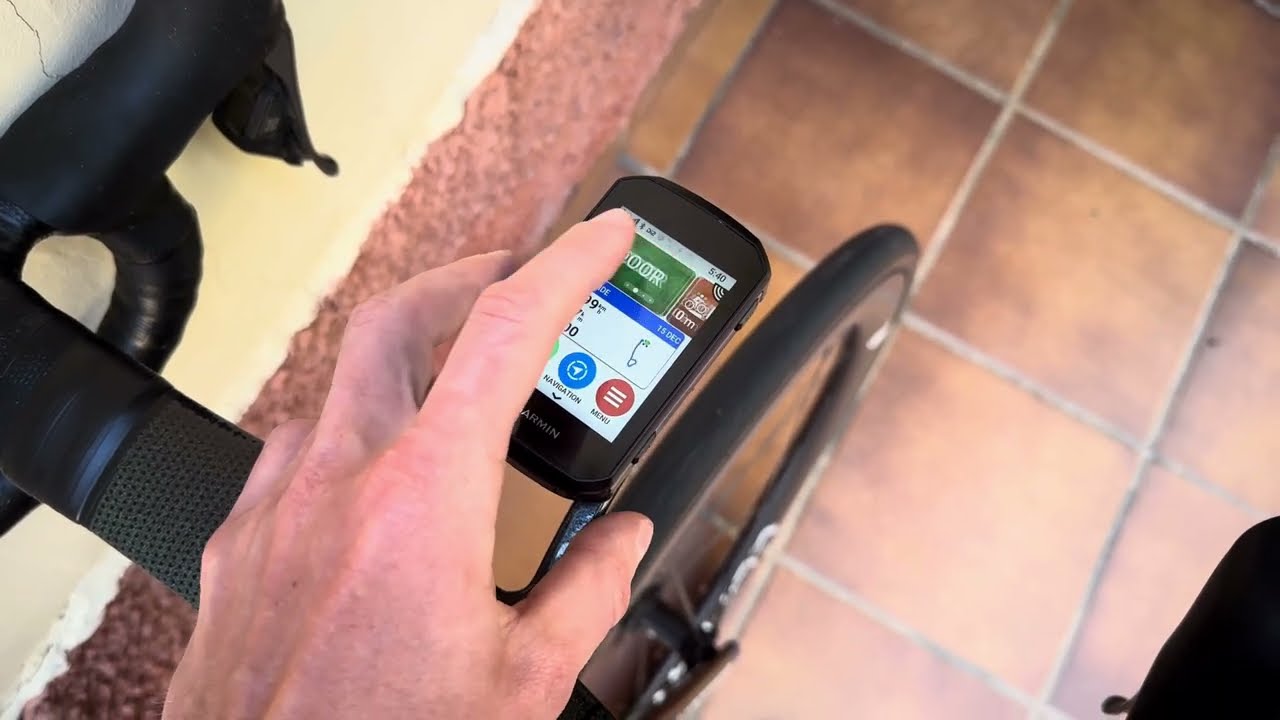

Garmin Edge bike computers might feel a bit clunky and overwhelming, especially the first time you use them. They have a steeper learning curve because there are so many features and options. With ELEMNT bike computers, it’s much simpler because they have fewer features. However, the UI on the 3rd generation feels a bit clunkier than that on the 2nd.
In summary, you can perform more actions and adjust more settings directly on the E550, but it takes a while to learn where all the options are. ROAM 3 is more limited and more smartphone-dependent, but also simpler. So I’m calling this a draw.
Winner: It’s a draw
Battery Life
The Edge 850 has a claimed battery life of 12 hours. My E850 lasted 10.3 hours in real-world testing. The ROAM 3 results were more surprising. While the claimed battery life is 25 hours, my ROAM 3 lasted 28 hours, so almost the same as the Edge 840 Solar. The results above mean that you will have to recharge the E850 at least twice as often as ROAM 3. Also, remember that, unlike the E840, the E850 is not available in Solar option.
Below is a comparison of the claimed battery life with some of the best bike computers. The Edge x40 line was well above average for battery life, but the x50 is below it.
I used both bike computers with auto-brightness settings (yes, both have ambient sensors to adjust brightness) and kept the same set of sensors connected to both.
Winner: ROAM 3
Maps & Navigation
This is also an area where the Edge 850 has an edge. Its navigation is simply more detailed and provides more granular instructions than ROAM 3. Both head units are great for navigation: they let you browse maps with a touch and are reliable, but Garmin is simply in a league of its own. The only thing that bothers me is the size of the map regions. Downloading gigabytes of data when you need to update maps for a specific country is unfortunate. Wahoo lets you select countries, so you can complete the update in minutes.


Winner: Edge 850
Accuracy
Thanks to the Multi-Band GNSS system, which enables the reception of satellite signals on multiple frequency bands and from multiple global systems simultaneously, both models are more accurate than their predecessors. However, this technology alone can’t guarantee the same level of accuracy between two competing devices. So, how was the reality?
I always test bike computers on my favorite forest segment. When you take a look at the following screenshots, you can see that the accuracy is almost identical. However, I must point out that for a completely comparable test, I would have to test both bike computers on the same day. It makes a difference if it is sunny or cloudy.


Winner: It’s a draw
Extras
The Garmin Edge 850 offers features not available on the ROAM 3. These include:
- Power Guide helps you pace yourself by providing real-time power targets based on the course profile, your fitness level, and desired effort level, optimizing performance across a route.
- Real-Time Stamina estimates how much energy you have left during a ride by analyzing heart rate, power, and fitness data, helping you manage effort and avoid burnout.
- MTB Dynamics measures your jumps, grit, and flow. It’s useful mainly for mountain bikers.
- Incident/crash detection detects if you crash and notifies your emergency contacts.
- Road Hazards allows you to report road hazards, such as potholes, while riding. They then appear on the map for other riders, and the head unit provides audible and on-screen warnings as you approach them.
- Smart Fueling gives you alerts on drinking and eating based on calories burned.
- Weather Overlay provides real-time info about weather overlayed over map.
- And many more…


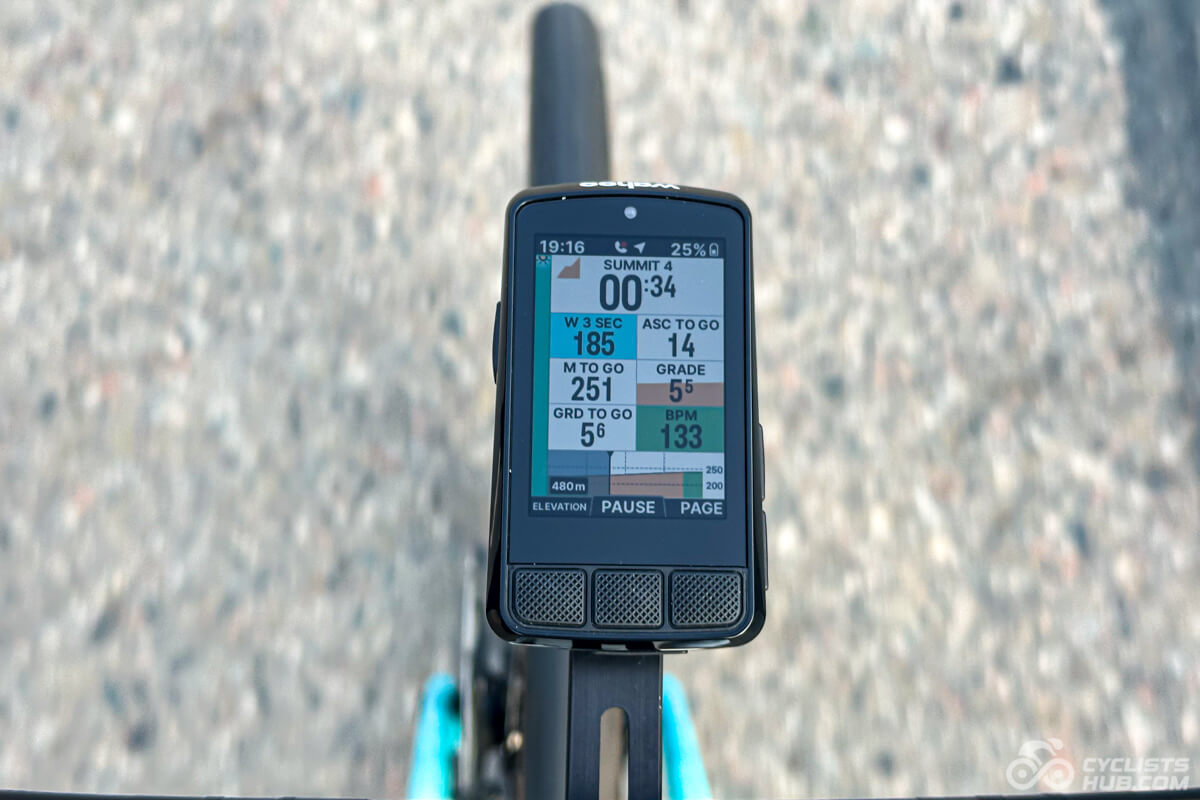
Both bike computers can display information about upcoming climbs. These features are called ClimbPro (Garmin) and Free Summit (Wahoo) and are some of my favorites. They don’t require a planned route, so I can pace myself more effectively on climbs that I’m not familiar with. I did a comprehensive comparison of these two and Hammerhead’s Climber. In summary, the ClimbPro data page is less customizable than the Free Summit one, so keep this in mind.

Winner: Edge 850
Total score: Garmin Edge 850 (4) | Wahoo ELEMNT ROAM 3 (1) | It’s a draw (2)
Garmin Edge 850 and ROAM 3 Alternatives
If you don’t want a Garmin 850 or ROAM 3, consider these alternatives:
- Hammerhead Karoo 3 offers similar battery life to Edge 850 but features a different, more modern user interface and an even brighter display.
- Garmin Edge 840 is ideal if you want a longer battery life. However, it lacks a bright display and has a bit more limited feature set (e.g., it doesn’t have an in-built speaker).
- Garmin Edge 1050 is larger than Edge 850 and offers the same feature set, but it’s also more expensive.
Summary
After comparing several categories, Edge 850 beats ROAM 3 in most, including some of the most critical, such as display readability. It only loses out in battery life, which is a shame because that’s also its biggest downside. The Edge 850 requires frequent charging and may not last for whole-day trips.
The price difference between these two head units is significant. The Edge 850 costs $599 while the ROAM 3 “only” $465. Is the $145 difference worth it? I believe so. E850 offers so much more than ROAM. ROAM only wins in simplicity, which comes from its limited feature set.
Before pulling the trigger, consider whether you’re okay with previous generations, such as the Edge 840, which lasts twice as long as the Edge 850. Yes, it doesn’t have as many features, but it does the basics well.
Anyway, I hope you will find this comparison helpful. If you do, please click the links below. It’s the best way to support me and my website without additional costs. Thank you very much in advance!