
You can find it in the workout details drawer when you click into any workout (planned, completed, or from the workouts list).
What Power Records Show You
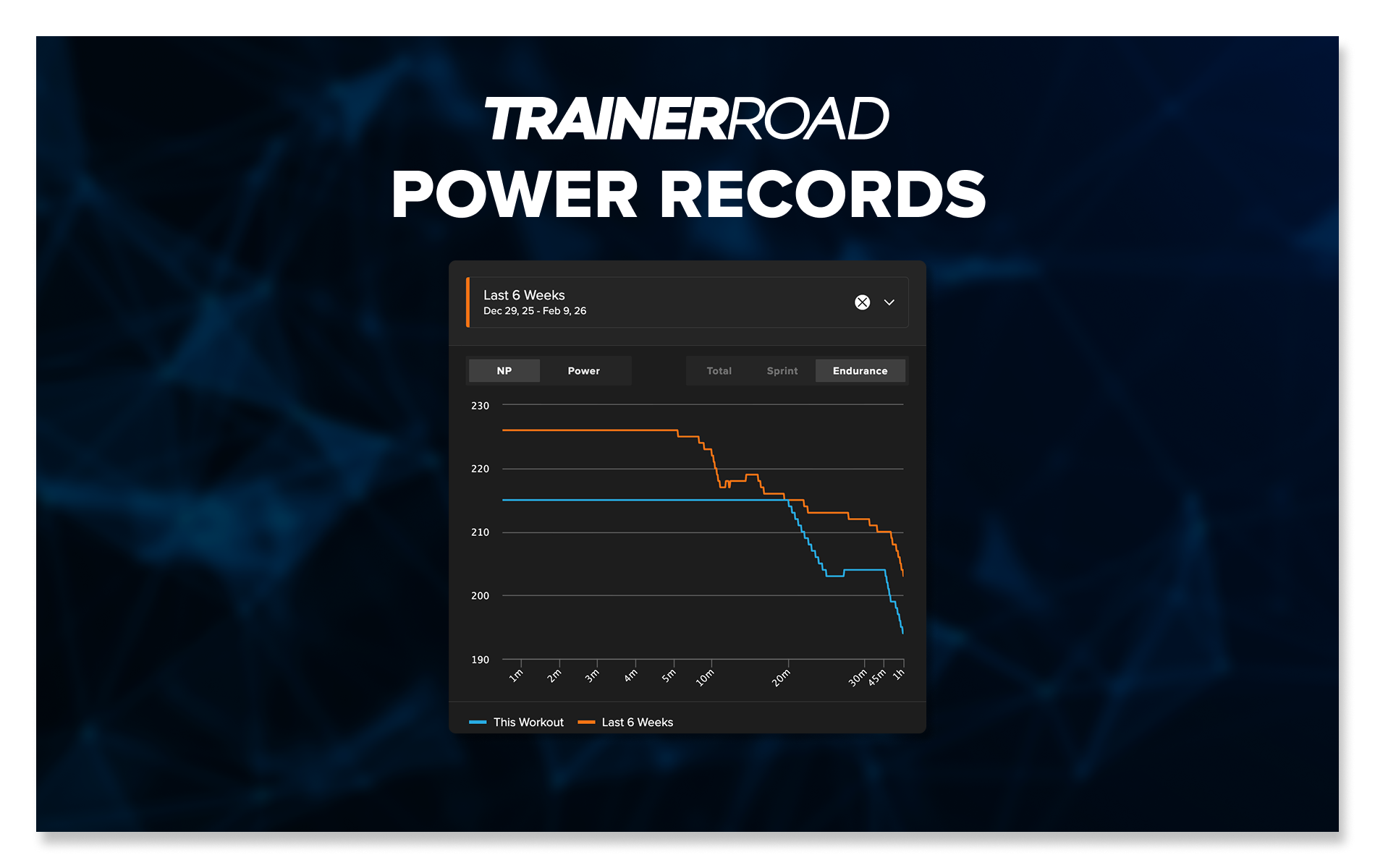
Power Records plots the workout’s power curve against your best efforts at each duration. The blue line is the workout. The orange line is your personal bests from the comparison period.
The default comparison is your last 6 weeks of Normalized Power. If you want a different date range, open the date selector and choose from Quick Ranges, Seasons, or a Custom Range. You can also toggle between Normalized Power and Average Power depending on what you want to see.
At a glance, you can tell whether a workout is asking for power you’ve already proven you can do, or whether it’s pushing into new territory.
How Power Records are Useful to You
When FTP goes up, the worry is that workouts are about to get way too hard. When it drops, the worry is they’ll be too easy and you’re losing fitness. Power Records answers both directly by showing you the exact watts of your workouts after an FTP change.
Nate showed a good example in a recent thread: an athlete had a 26 W FTP difference (302 vs 328), but their next planned threshold workout from the AI only differed by 1 W in average power.
Instead of guessing whether a workout is appropriate based on FTP alone, you can see exactly how the planned watts compare to what you’ve recently done.
How to use Power Records
- Open any workout from your calendar.
- Look at the Power Records chart in the workout detail drawer.
- Compare the workout’s power curve against your recent bests.
If the planned watts are close to or below your recent efforts, the workout is in the right range. If something looks off, you have real data to evaluate it rather than relying on how the FTP number feels.
Where to find Power Records
- Planned workouts on your calendar
- Completed workouts on your calendar/activity list
- Any workout from the workouts list
We’re working on more detailed guides and walkthroughs for Power Records. In the meantime, we wanted to get it in your hands so you can start using it!
Train with data, not guesswork. TrainerRoad AI: Built to Make you Faster.